
The H66 Wireless and Ethernet gateways from Husdata.se is an universal IoT platform compatible with most popular ground source , air/water and Exhaust air heat pumps manufactured by Bosch, IVT, Thermia and NIBE.
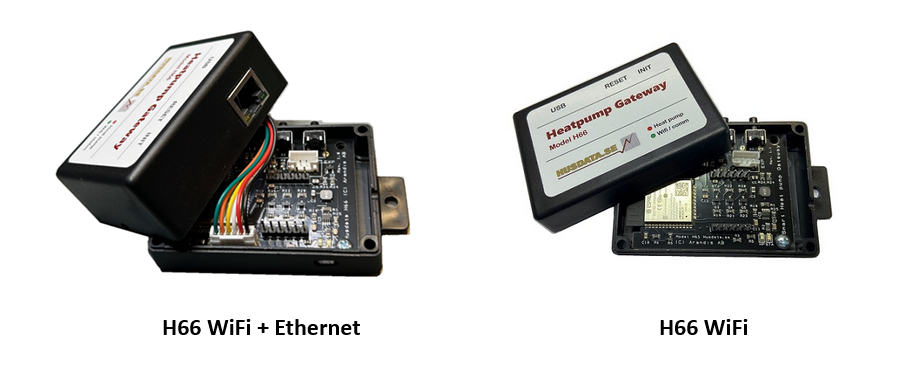
The gateway is bridging the heat pump controller with Wi-Fi or Ethernet networking supporting various interfacing protocols and methods. The device is fully supporting the Husdata Online system (optional use) giving quick and easy features such as monitoring and analysis, remote heat settings, and alarm with notifications via email and SMS. A low cost subscription is required for this service. Included with H66 is the Windows software StatLink giving flexible real-time overview and tools for historical reporting without any subscription.
For Home Automation, H66 features open communications over MQTT protocol, Modbus TCP, Webhooks and RestAPI targeting integrations with various smart home solutions such as the Home assistant, Loxone, IFTTT, Domoticz or Athom Homey Pro.
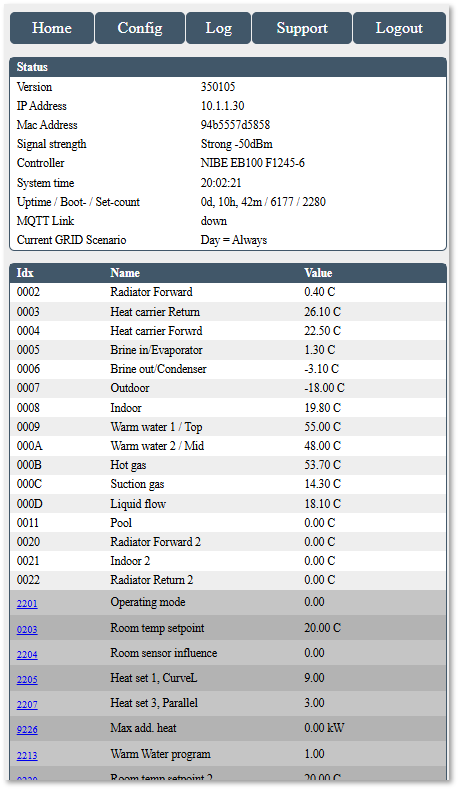
The H66 has a built in Web interface with many features. Using the web interface you can manage and monitor the heat pump directly without any online or home automation system connected. The web interface also have functions for troubleshooting, request remote support and update the firmware of the unit. The web interface is of responsive design and is scaling for smart phones or full web usage.
Finally the unit has an USB serial interface for advanced users and powersource when needed.
Hardware overview of the H66 device.
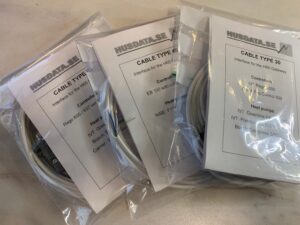
The H66 solution is sold as a main unit (2 variants, WiFi or WiFi+Ethernet) that including a heat pump cable/interface specific for the intended model of heat pump. Cables has specific interfacing electronics and connector for the pump.
There are 9 types of cables available.
The USB Port
On the side there is a USB-C port that is primary used to provide power to H66 for some heat pump models. IVT Rego 600 and Thermia Diplomat is example of heat pumpt that must be supplied with an external power supply. Other usage is to support advanced troubleshooting, re-flash and for special solutions. Avoid connect a power source or computer to the USB port at the same time the H66 is connected to a heat pumps power besides where advised. This could cause damage to the Computer, H66 unit and the heat pump. If you for some reason need to use the USB port, disconnect the heat pump power cable (violet) from the cable interface first so the unit is powered from the USB jack only. The setting for the port is 115200 baud and you need a CH340 driver.
Buttons
The device has two buttons on its side.
The Reset button will restart the unit.
The Init button has three functions.
Short tap: Both leds will flash indicating the last digit of its IP address of H66. Example: IP 192.168.1.30 will flash three shorts, a pause and a Long flash for zero. . . . __ = .30
Hold 2 seconds. The unit will be put in AP (Access Point) mode so you can access the unit by connecting to it’s SSID ”Husdata H66”. See support section.
Hold 8 seconds until green led goes dark: Facory reset unit.
LEDs
The Red led is flashing irregular when the unit has contact with and communicating with the heat pump.
The Green led is signalling the Network/Wi-Fi Connection status and should flash slowly in normal operations.
See Troubleshooting sections for LED details and troubleshooting.
Technical info H66
H66 is based on an dual-core ESP32 system-on-a-chip solution.
First core is dedicated for handling heat pump low level communications, and the second core is for handling WiFi network communications and hosting the web portal, etc.
Specifications H66
Weight H66: 50 grams
Weight Interface cable: 50 grams
Size: (h, l, w) 28mm, 50mm, 90mm
Processor: ESP WROOOM 32 dual core, 240Mhz, 16MB flash, 327kB RAM
Power consumption 5V input: 120mA, 0.6W
Power consumption 12V input: 60mA, 0.8W
Max input voltage 25V
Input for USB power 5v
Input for USB Serial CH340 Interface 115200 baud
Network: Wifi 802.11b/g/n, 2.4Ghz