
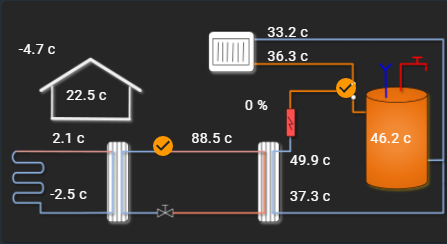
Example for the schematic overview Home Assistant dashboard
1. Add a Picture element card to the dashboard
2. Paste in the config below and adjust for your heat pump
Use https://portal.husdata.se/img/BV_3_HA.png for dark background
Use https://portal.husdata.se/img/BV_2_HA.png for white background
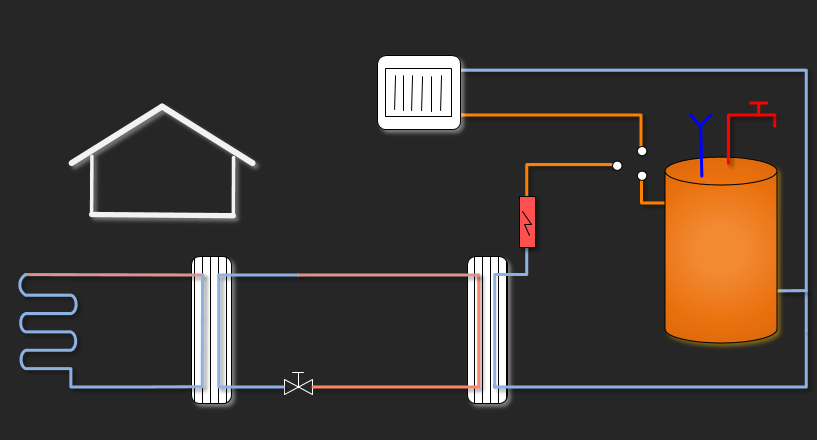
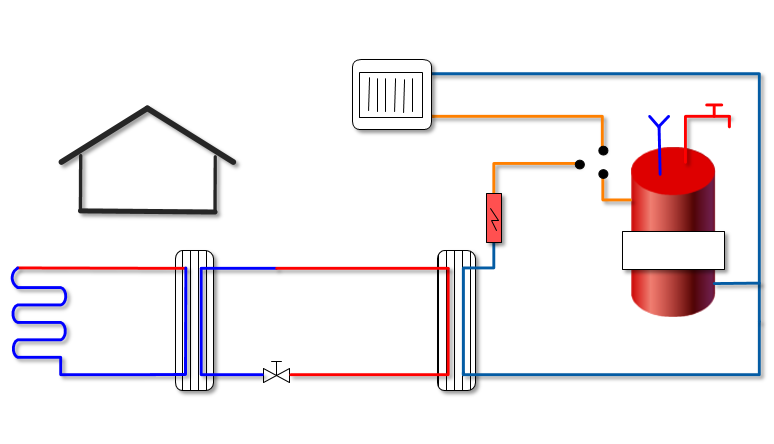
elements: - entity: binary_sensor.compressor style: left: 36% top: 60% type: state-icon - entity: binary_sensor.switch_valve style: left: 77% top: 36% type: state-icon - entity: sensor.rad_return style: left: 64% top: 13% type: state-label - entity: sensor.rad_forward style: left: 64% top: 23% type: state-label - entity: sensor.heat_carrier_forward style: left: 69% top: 66% type: state-label - entity: sensor.heat_carrier_return style: left: 69% top: 81% type: state-label - entity: sensor.brine_in style: left: 15% top: 57% type: state-label - entity: sensor.brine_out style: left: 15% top: 80% type: state-label - entity: sensor.warm_water style: left: 87% top: 57% type: state-label - entity: sensor.hot_gas style: left: 47% top: 57% type: state-label - entity: sensor.indoor style: left: 19% top: 39% type: state-label - entity: sensor.outdoor style: left: 8% top: 20% type: state-label - entity: sensor.additional_electric_heater style: left: 57% top: 43% type: state-labelimage: 'https://husdata.se/img/BV_3_HA.png'type: picture-elements